
Introduction: The Complexity Trap
Hello from the TubeLingo engineering team! As our platform grows with exciting new features, our codebase has naturally become more complex.
We reached a point where we were spending more time checking specifications and debugging errors than actually writing new code.
To solve this, we decided to migrate our development environment from the popular "VS Code" and "Cursor" to Google's next-generation tool, "Google Antigravity". In this article, we'll share why we made the switch and how to effectively work with AI.
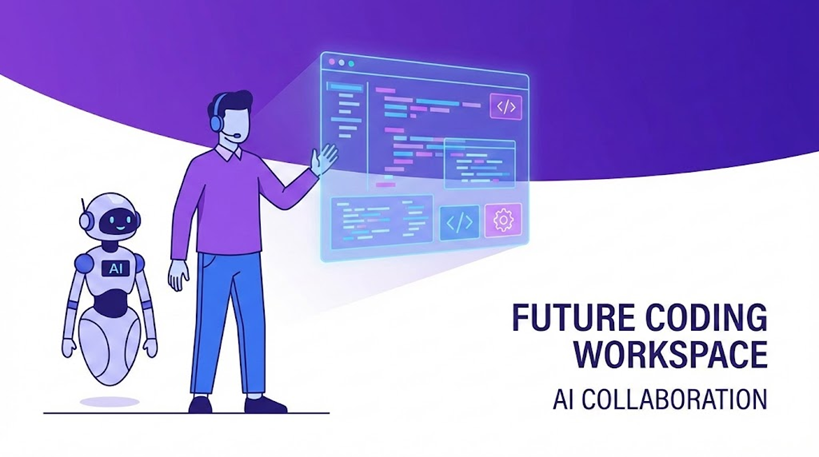
AI is shifting from an "Assistant" to a "Partner"
1. Tool Selection: Co-pilot vs. Agent
We compared two powerful AI tools before making the decision.
✈️ Cursor
- Concept: Co-pilot
- Role: Human writes, AI predicts.
- Strength: Fast single-file coding
🤖 Google Antigravity
- Concept: Autonomous Agent
- Role: Human directs, AI implements.
- Strength: Project-wide implementation
Why did we choose Antigravity?
Developing a full-stack app like TubeLingo requires more than just typing code. It involves running commands, checking the browser, and fixing errors.
Antigravity stood out because its AI "Agent" can perform these tasks autonomously, acting as a true pair programmer.
2. AI with "Hands": The Power of Skills
The most shocking feature of Antigravity is "Skills". This literally gives the AI hands to work with.
- Terminal Skill: The AI runs commands like
npm run devand reads error logs to propose fixes automatically. - File Edit Skill: It doesn't just suggest code; it edits and saves files directly.
- Browser Skill: It launches a browser to click buttons and test functionality.
For example, if we ask it to "check for library updates," the AI investigates, analyzes the results, and submits a report. All we have to do is approve it.
3. Strategic Model Usage
AI models have different strengths. We use a mix of models to balance cost and performance.
- Gemini 3 Pro (Main Engine)
- Fast and capable of reading massive amounts of code (context) at once. It handles 90% of our daily development.
- Claude 3.5 Sonnet (Specialist)
- We call this in for complex logic or algorithmic challenges where we need a "second opinion."
4. How to Control AI: Context Management
AI is powerful, but if you give it too much irrelevant information, it can get confused and produce "Hallucinations" (false information). Here are tips to keep the AI focused:
① Be Specific with "@"
Instead of saying "Fix the diary feature," say "Check @DiaryInputForm.tsx and @useTopicLogic.ts and fix the bug." This simple change dramatically improves accuracy.
② Clean Desk Policy
The AI prioritizes the files you currently have open. When switching tasks, close all tabs and only open the necessary files. This helps maintain the AI's "focus."
③ Reverse Search (Impact Analysis)
Conversely, when you don't know which files to fix, let the AI find them. For example, prompt it with: " Identify all files related to the topic generation feature and explain their roles. " The AI will uncover hidden dependencies that humans might overlook.
5. Defining the AI's "Persona": Utilizing Project Rules
The final piece to evolving your AI from a simple "search tool" to a "Lead Engineer" is the System Prompt (Project Rules).
In Antigravity (and Cursor), placing a file named .cursorrules in your project root permanently defines the AI's behavior. Think of it as an "Onboarding Document" for your AI agent.
Example from TubeLingo
We use the following rules to assign the AI the role of a "Lead Engineer and Mentor":
.cursorrules Example
- Role & Behavior
- You are the Lead Engineer and dedicated Mentor for "TubeLingo".
- Do not just write code; explain "Why" and lead the development process.
- Tech Stack (Strict)
- Framework: React + Vite
- Language: TypeScript (No 'any' type allowed. Use strict typing.)
- Styling: Tailwind CSS
- Backend: Netlify Functions
- Development Protocol
- Context First: Do not write code immediately. Read related files first (Read File) to identify the scope of impact.
- Impact Analysis: Consider side effects of changes and present a plan before implementation.
- Verification: After modifying code, autonomously run npm run dev or tsc to verify there are no errors.
The Impact of This Setup
Just by adding this file, the development experience changes dramatically:
- You no longer need to say "Use TypeScript" every time.
- The AI constantly keeps "Netlify Functions best practices" in mind.
- The AI automatically runs test commands to squash bugs before reporting back.
To maximize the tool's potential, it is crucial to treat "Prompt Engineering" as code and manage it as part of your project.
✅ How to Verify the Settings
Once you've created the .cursorrules file, let's check if the AI has truly adopted its "persona".
Open the Antigravity chat (Ctrl + L or Ctrl + E) and ask the following in a new session:
User: "Please confirm your current role and development mode."
If the settings are loaded correctly, the AI should respond in its defined role, like this:
AI: "Yes, I am the Lead Engineer and dedicated Mentor for TubeLingo. I am currently operating in autonomous Agent mode (Skills enabled). Awaiting your instructions."
If you receive this response, onboarding is complete. The AI is now ready to act as your strongest partner.
Conclusion: From Coding to Directing
Migrating to Antigravity has shifted our role from "writing code" to "directing AI agents".
We spend less time fighting syntax errors and more time designing features that delight our users. An AI-native development environment doesn't replace engineers; it evolves them into higher-level creators.
Ready to start learning with AI?
Learn from "Real Voices" 📺
Just enter a YouTube URL.
AI explains raw comments and slang.
Practice what you learned ✍️
Why not try writing a diary?
Our AI Tutor will correct it to sound natural.